> ## Documentation Index
> Fetch the complete documentation index at: https://cerebrium-assembly-ai.mintlify.site/llms.txt
> Use this file to discover all available pages before exploring further.
# Using Secrets
> Access third-party platforms using secure credentials encrypted on Cerebrium
You may want to use API keys, passwords, or other sensitive information in your app, but you don't want them stored in your code. In this case, it's best to use Secrets. Secrets are stored encrypted (256-bit Advanced Encryption Standard (AES)) and are only decrypted when your app runs.
Secrets can be managed at both project and app levels. Project-level secrets are shared across all apps in your project, while app-level secrets are specific to an individual app. App secrets take precedence over project-wide secrets.
Adding a secret will make the value available to your app as an environment variable.
Secrets are loaded on container startup. If you update a secret, you must restart your app container for the changes to take effect.
```python theme={null}
def predict(run_id):
print(f"Run ID: {run_id}")
hf_token = os.environ.get("HF_TOKEN")
logger.info(f"HF_TOKEN: {hf_token}")
return {"result": f"Your HF_TOKEN is {hf_token}"}
```
Secrets are stored as strings. If your secret is a JSON payload or similar,
remember to convert it to the correct format using
`json.loads(os.environ.get("MY_JSON_SECRET"))`.
### Managing Secrets
Secrets are created, updated, and deleted in your dashboard.
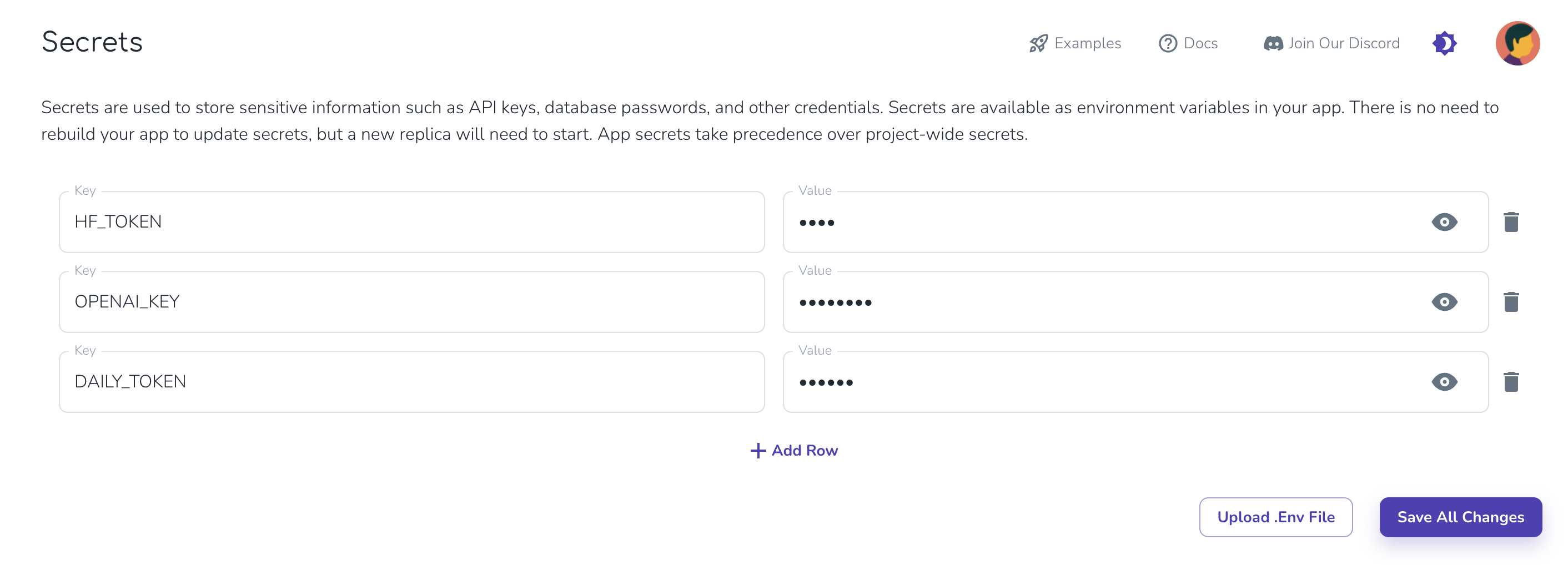 Secrets are loaded on model start. You will need to wait for your app
container to restart or deploy your app before the new secret is available.
### Automatic Environment Variables
Cerebrium automatically sets the following environment variables for your app:
* APP\_NAME: The name of your application
* HF\_HOME: Set to '/persistent-storage/.cache/huggingface' for caching HuggingFace models
* PROJECT\_ID: The ID of your Cerebrium project
* BUILD\_ID: The unique identifier for the current build
The app\_id is a composite of PROJECT\_ID + '\_' + APP\_NAME.
### Local Development
When developing locally, you can use an `.env` file to store your secrets. Later, you can add these secrets to your project from the dashboard.
```python theme={null}
import os
from dotenv import load_dotenv
load_dotenv()
hf_token = os.environ.get("HF_TOKEN")
```
Secrets are loaded on model start. You will need to wait for your app
container to restart or deploy your app before the new secret is available.
### Automatic Environment Variables
Cerebrium automatically sets the following environment variables for your app:
* APP\_NAME: The name of your application
* HF\_HOME: Set to '/persistent-storage/.cache/huggingface' for caching HuggingFace models
* PROJECT\_ID: The ID of your Cerebrium project
* BUILD\_ID: The unique identifier for the current build
The app\_id is a composite of PROJECT\_ID + '\_' + APP\_NAME.
### Local Development
When developing locally, you can use an `.env` file to store your secrets. Later, you can add these secrets to your project from the dashboard.
```python theme={null}
import os
from dotenv import load_dotenv
load_dotenv()
hf_token = os.environ.get("HF_TOKEN")
```